
How to Tell If Art Prints Are High Quality: 2026 Guide
Mitchell AdelmanTable of Contents
- What You'll Need to Inspect Art Prints
- Giclée vs Digital Print: The First Quality Check
- Archival Paper Types for Art: What to Look For
- What Is a Limited Edition Art Print?
- Step-by-Step: How to Inspect a Print in Person
- Common Print Defects and What They Mean
- The Lighting Test and Tactile Verification
- Frequently Asked Questions
Last Updated: September 26, 2026
What You'll Need to Inspect Art Prints
Knowing how to tell if art prints are high quality comes down to a few simple checks you can do with your own eyes and hands. At Cerulean Rooster, we pack every order by hand, so we handle a lot of paper. Here's what to grab before you start:
- A magnifying glass or your phone's zoom lens
- A bright, adjustable lamp
- A clean, flat surface
- A soft cloth or cotton gloves
- A ruler or tape measure
That's it. No special gear required.
Giclée vs Digital Print: The First Quality Check
A giclée print is made with a high-resolution inkjet printer using pigment-based inks on archival paper. A standard digital print usually uses dye-based inks on thinner paper. That difference decides how long your art lasts.
How Pigment and Dye Inks Differ
Pigment inks sit on the paper surface and resist fading. Dye inks soak in and fade faster when exposed to light.
- Pigment-based ink: deeper blacks, longer life
- Dye-based ink: brighter at first, fades sooner
- UV resistance: much stronger with pigment inks
Archival Paper Types for Art: What to Look For
Archival paper is acid-free and lignin-free, which keeps it from yellowing over time. Cheap paper turns brown within a few years. Good paper holds its color for decades.
Paper Weight, GSM, and Texture
GSM stands for grams per square meter. It tells you how thick and heavy the paper is.
| GSM Range | Feel | Best For |
|---|---|---|
| 120-180 | Thin, flexible | Posters, casual prints |
| 200-250 | Sturdy, smooth | Standard art prints |
| 300+ | Thick, rigid | Fine art photography, giclée |
What Is a Limited Edition Art Print?
A limited edition art print is a reproduction capped at a set number of copies, each signed and numbered by the artist. Once that number sells out, no more are printed.
Look for:
- A handwritten edition number, like "12/50"
- The artist's signature
- A certificate of authenticity
Step-by-Step: How to Inspect a Print in Person
Follow these steps in order. The whole check takes about five minutes, and you don't need any special gear beyond what's already in your home.
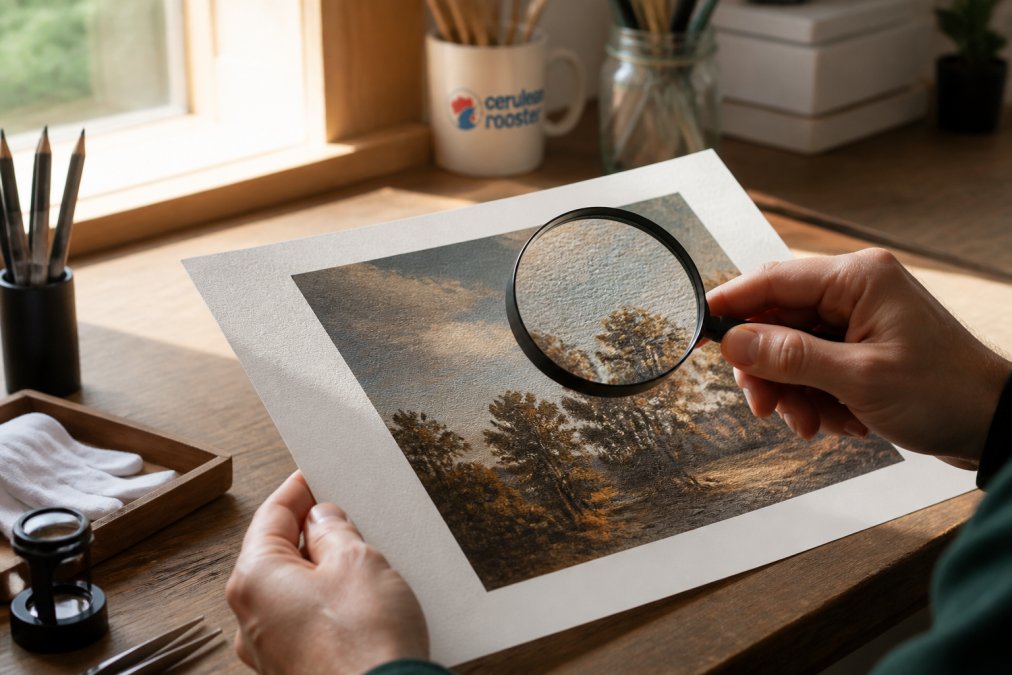
- Check the paper edge. Deckled (torn) edges or a clean, straight cut signal care. Rough, frayed, or uneven edges usually mean the print was trimmed with dull equipment or handled poorly. Run a fingertip along the edge, it should feel smooth, not fuzzy.
- Look at the ink under raking light. Tilt the print so a lamp hits it at a low angle. Pigment inks sit on the surface and look rich and even. Dye inks soak in and can look thin or washed out at the edges of dense color areas. You may also spot banding this way that's invisible under straight-on light.
- Zoom in on details with your phone. Most phone cameras can get within a few inches and still focus. Sharp, clean lines mean the source file was high-resolution and the print head was aligned. Fuzzy, blocky, or jagged edges mean pixelation, the source file was too small for the print size.
- Test the surface by touch. Close your eyes and run a clean finger across a corner. Archival paper feels dense and slightly cool. Cheap paper feels thin and slick. Matte, luster, and canvas textures each feel distinct, canvas should feel woven, not flat and printed-on.
- Check color fidelity against the listing. Pull up the online listing on your phone and compare side by side. Reds and blues are the tell, they should match, not shift toward orange or purple. A color shift usually means a bad ICC profile or an RGB-to-CMYK conversion done without care.
- Look for a signature, edition number, or embossed mark. A handwritten edition number like "12/50," an artist's signature, or a blind emboss (a raised stamp with no ink) all signal a print the artist stood behind. A certificate of authenticity (COA) is a bonus, but the physical marks on the print matter more.
The Lighting Test: Daylight vs. Warm Lamp
Most people inspect prints under whatever light is closest. That's a mistake. View the print under two conditions:
- Indirect daylight (near a window, not in direct sun), this is the most color-accurate light and reveals paper tone.
- A warm lamp (around 2700K, like a typical bedside bulb), this reveals whether the ink holds up when the color temperature shifts.
Tactile Verification: What Your Fingers Know
Your hands catch things your eyes miss. Here's what to feel for:
- Weight. A 300+ GSM paper feels substantial, almost like a thin cardstock. A 120 GSM poster feels flimsy and bends easily.
- Temperature. Archival cotton-rag paper feels slightly cool to the touch because it holds less surface heat than coated stock.
- Texture. Cotton rag has a subtle tooth (grip). Resin-coated (RC) photo paper feels slick and plasticky. Canvas should feel woven in two directions.
- Curl. Hold the print by one corner. A well-made print on heavy stock barely flexes. A cheap print droops or curls at the edges.
Authentication Markers to Look For
Beyond the signature, quality prints often carry:
- A blind emboss, a raised, inkless stamp from the studio or printer.
- A limited edition number written in pencil (pencil is traditional because ink can bleed or fade).
- A certificate of authenticity (COA) that matches the edition number on the print.
- A printer's chop, a small mark from the printmaker, common in fine art editions.
None of these alone proves quality, but together they show the artist and printer treated the print as a finished work, not a copy.
Common Print Defects and What They Mean
Defects tell you a lot about how a print was made, and whether the seller did any quality control. Here's what to watch for, what causes each one, and how serious it is.
- Banding: visible stripes across color gradients, especially in skies or skin tones. Caused by print head alignment problems or a clogged nozzle. Under raking light, banding becomes obvious even when it's invisible straight-on. A single faint band is common; a pattern of them means the printer wasn't maintained.
- Pixelation: blocky, jagged edges on curves and diagonals. The source file was too low-resolution for the print size. Zoom in with your phone, if you can see individual square pixels, the file was upscaled. This is a fatal flaw in a fine art print.
- Dot gain: colors look muddy, blown out, or "bleeding" into each other. Too much ink soaked into the paper, usually because the paper wasn't coated for the ink type. Common on cheap uncoated stock printed on a home inkjet.
- Halftone dots: tiny visible dots arranged in a pattern, most obvious in photos. Normal in commercial offset printing, a flaw in fine art giclée. If you can see the dot pattern with the naked eye, the print was made on the wrong equipment for the job.
- Color shift: the print looks different from the screen, reds turn orange, blues turn purple, greens turn muddy. Caused by a bad ICC profile or an RGB-to-CMYK conversion done without a proper proof. Compare the print to the listing under daylight, not under your room lamp.
- Bronzing: a metallic sheen on dark areas when viewed at an angle. Caused by pigment ink sitting on top of glossy paper instead of absorbing. Common on glossy photo papers with pigment inks; less of an issue on matte or rag papers.
- Pizza wheel marks: tiny dotted tracks along the edges where the printer's rollers gripped the paper. Usually a sign of a desktop printer, not a professional giclée shop.
- Ink smudges or fingerprints: handling errors. A single smudge near the edge can sometimes be trimmed; a smudge in the image area is a return.
How to Tell a Minor Flaw from a Fatal One
Not every defect means the print is bad. Here's a quick way to sort them:
- Location matters. A faint band in a dark corner is very different from a band across a face.
- Visibility at arm's length matters more than under a magnifier. If you can't see it from a normal viewing distance, it's usually acceptable.
- Pattern matters. One isolated flaw can happen in any print run. A repeating pattern, the same band every inch, the same dot pattern across the image, means a systemic problem.
- Reversibility matters. Smudges, fingerprints, and roller marks are handling issues. Banding, pixelation, and color shift are printing issues. The latter are much harder to fix.
Why This Matters for Longevity
A print with banding or color shift isn't just ugly now, it's a sign the printer, ink, or paper was wrong for the job. Those same problems tend to get worse over time as the ink fades unevenly. A clean, well-made giclée on archival paper will hold its color for decades; a flawed print on cheap stock may start shifting within a few years.
The Lighting Test and Tactile Verification
Two checks separate a real fine art print from a poster: light and touch.
Frequently Asked Questions
What is the difference between giclée and standard prints?
Giclée prints use pigment-based inks sprayed onto archival, acid-free paper, while standard prints typically use dye inks on thinner paper. The pigment inks in giclée prints resist fading for decades, and the paper won't yellow over time. Standard prints may look fine at first but often degrade within a few years, especially in sunlight. If you're buying art prints you plan to keep, giclée is the safer choice.
Does paper weight matter for art prints?
Yes, paper weight affects both feel and longevity. Archival art prints usually range from 200 to 300 GSM. Heavier paper feels substantial and holds ink without warping. Thinner paper under 150 GSM often wrinkles and buckles. When you handle a print, notice whether it feels flimsy or firm. A quality print on proper archival paper should feel closer to cardstock than copy paper, and it should stay flat when you hold it by one corner.
How can you tell the difference between a digital print and a fine art print?
Look at the surface under angled light. Fine art prints on archival paper have a visible texture, like cotton rag or matte finish. Digital prints on glossy photo paper reflect light evenly and feel smooth. Also check the edges: fine art prints often have a border where the paper's deckled edge or texture is visible. If the print looks plasticky or the colors sit flat on the surface, it's likely a standard digital print.
What is archival quality in art prints?
Archival quality means the print is made with acid-free, lignin-free materials and pigment-based inks that resist fading and yellowing. The goal is a print that lasts 100 years or more without noticeable degradation. Acid-free paper prevents the paper from turning brown, and pigment inks hold their color far longer than dye inks. If a seller doesn't mention archival materials, ask directly. Reputable artists and studios will know.
Telling a great print from a cheap one takes five minutes and a sharp eye. If you'd rather skip the guesswork, Cerulean Rooster makes it easy. We're a deaf-owned, family-run studio, and every order is packed by hand, so you know exactly what you're getting. Our original art, stickers, and commissions are made to feel personal and last. Shop All and bring home a piece with a real story behind it.